
Real-time LED
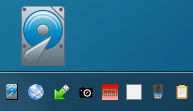
Read and write operations are monitored in real time and displayed on screen and in the system tray icon.
HDD LED Pro is a useful piece of software that shows hard disk drive and SSD activity in real time, both in the system tray and on screen. It emulates the physical hard disk LED, making it especially useful on PCs, laptops and netbooks that don't have one or where it isn't visible.
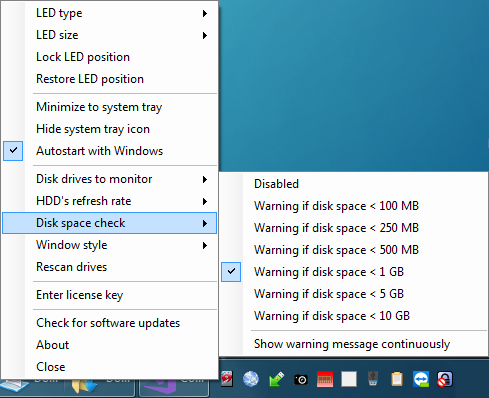
It also includes a free disk-space monitor that works with USB drives, network drives and VeraCrypt/TrueCrypt drives.
HDD LED Pro monitors all physical HDD and SSD drives connected to your PC via SATA, IDE or USB.
Download HDD LED Pro
Read and write operations are monitored in real time and displayed on screen and in the system tray icon.
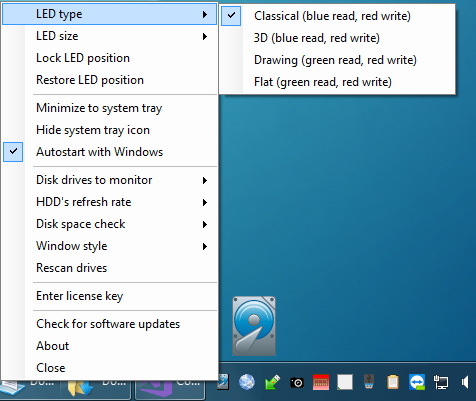
Choose from several built-in LED styles. Disk activity is shown using different colors for read and write operations.
HDD LED Pro is fully portable and does not need to be installed.
Just unzip it to a directory such as C:\PortableApps\HDDLEDPRO\
and run it.
Portable version · Windows 11 / Windows 10 · Freeware
Once you have downloaded the ZIP file:
C:\PortableApps\HDDLEDPRO\.HDDLED_PRO.exe.
It is recommended to use a directory such as
C:\PortableApps\HDDLEDPRO\ rather than
C:\Program Files. Due to Windows user-account restrictions,
the software may not be able to update its configuration file when installed
under Program Files.
HDD LED Pro was designed as portable software, so there is no need for an installation package. You can even carry it with you on a USB drive.
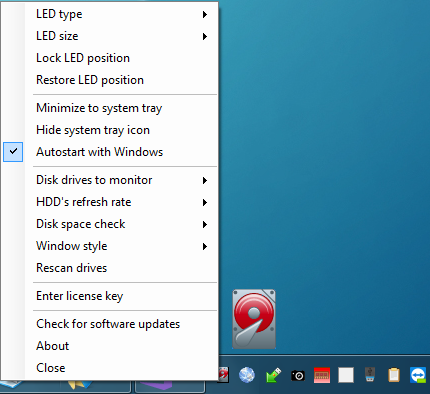
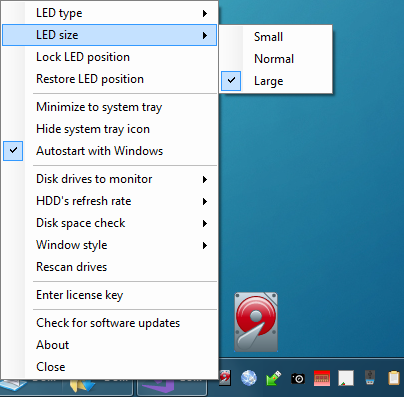
Right-click the icon (on screen or in the system tray) to open the configuration menu. You can change the LED type, size, blink speed and the drives to monitor.
For information or technical support, you can send us an email: